
What Makes RE Requiem a PC Showcase Title?
Resident Evil Requiem is the 9th mainline entry in Capcom’s legendary survival horror franchise — and it’s the first one to genuinely make me stop mid-session just to stare at the environment. That doesn’t happen often. Capcom has been on a consistent upward trajectory since the RE Engine debut, but Requiem pushes the bar somewhere most studios aren’t even aiming at.
The game introduces a first-person / third-person toggle mid-gameplay with fan-favorite protagonist Leon S. Kennedy back in the lead role. But what makes this a technical landmark is how it handles real-time lighting, atmospheric density, and the kind of path tracing implementation that actually changes how a game feels, not just how it looks.
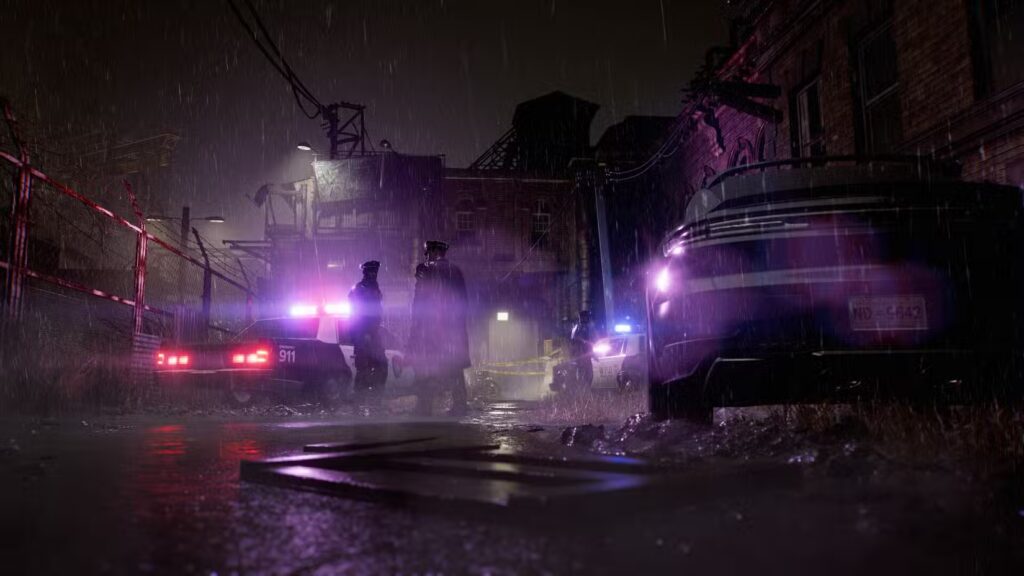
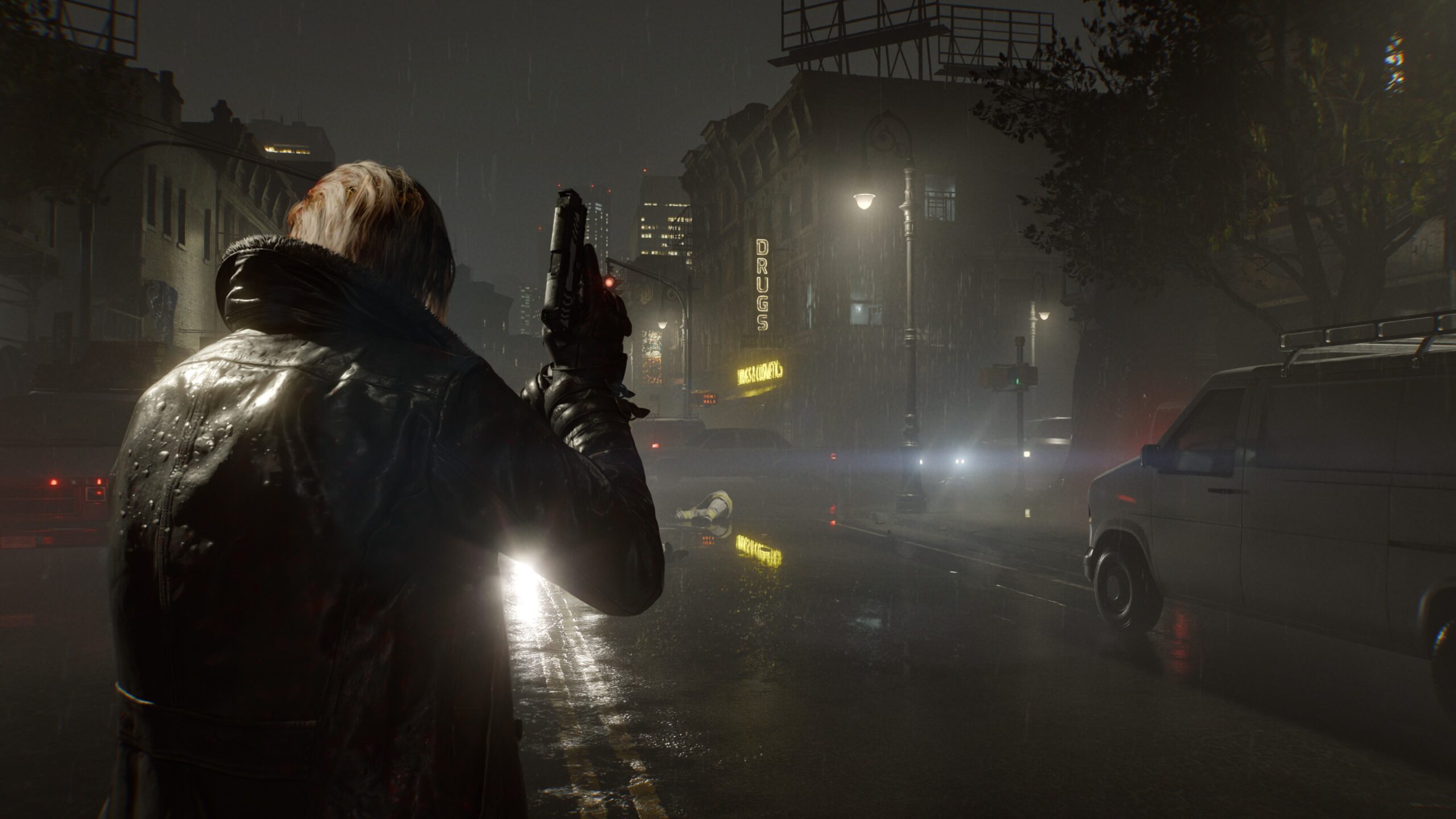
You might be wondering: Is path tracing actually worth it, or is it just a marketing checkbox? Let me be direct — in RE Requiem, it’s the real deal. Light behavior in dark corridors, shadow interaction with rain-soaked surfaces, the way a single flickering bulb affects an entire room — these aren’t cosmetic upgrades. They affect tension and readability in ways that matter for a horror game.
RE Requiem Graphics Settings — Full Breakdown
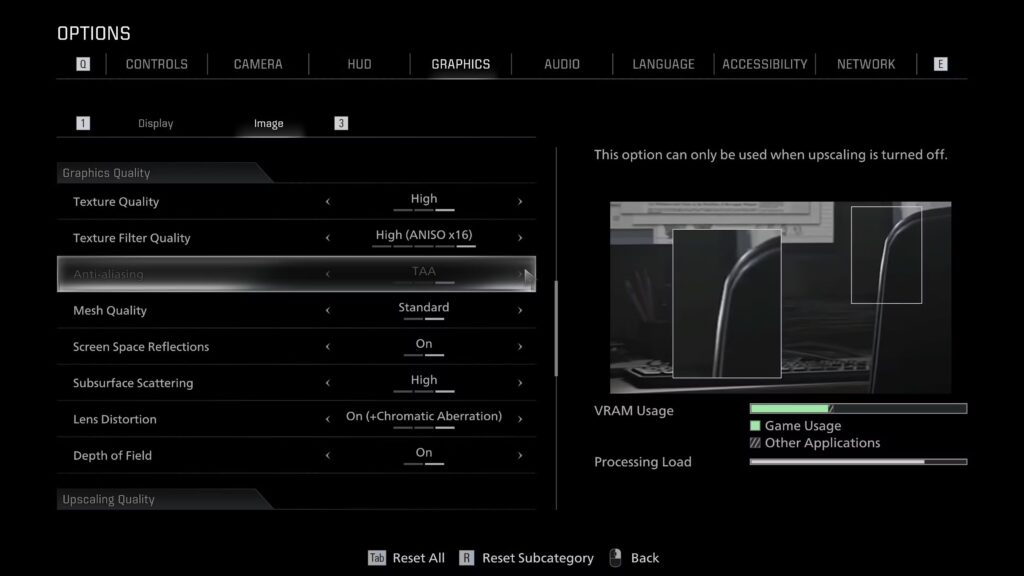
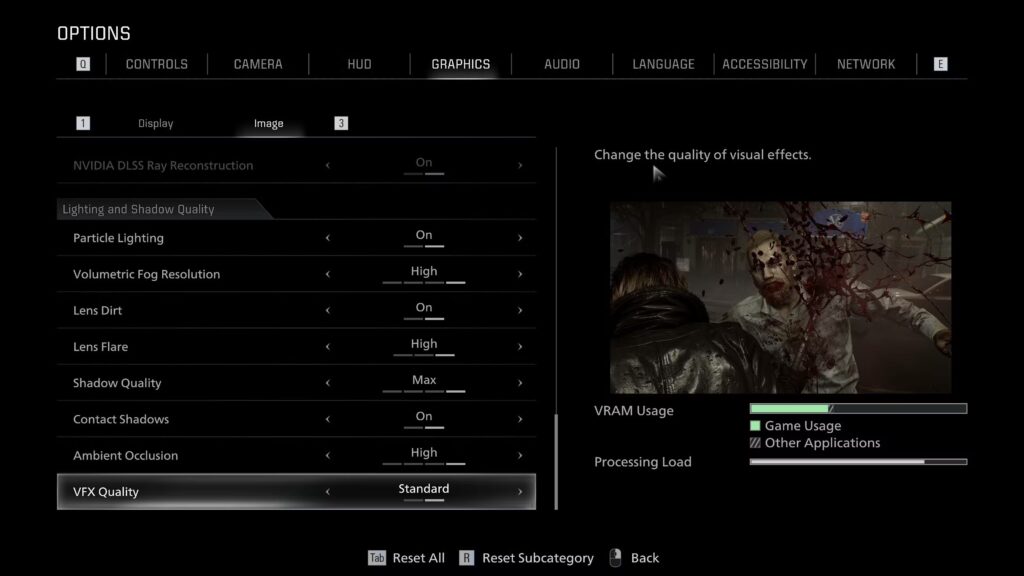
The settings menu is deliberately focused. You won’t find an overwhelming wall of sliders here — Capcom gives you the important knobs and leaves the rest optimized under the hood.
| Setting | Options |
|---|---|
| Ray Tracing | Off / Normal / High / Path Tracing |
| Hair Strands | Off / On |
| Texture Quality | Low / Normal / High |
| Texture Filter Quality | Trilinear → ANISO x16 |
| Anti-Aliasing | Off / FXAA+TAA / TAA |
| Mesh Quality | Low / Standard |
| Shadow Quality | Low / Normal / High / Max |
| Ambient Occlusion | Off / Low / Normal / High |
| Volumetric Fog Resolution | Lowest → High |
| Subsurface Scattering | Off / Low / High |
| VFX Quality | Low / Standard |
💡 Pro tip: The single setting with the biggest visual-to-performance ratio outside of path tracing is Volumetric Fog Resolution. Dropping it from High to Normal recovers meaningful FPS in dense interior scenes without a visible quality hit in motion.
Path Tracing vs Ray Tracing — Which Should You Use?
This is where most players get lost, and where I’ll give it to you straight.
Path Tracing is a full global illumination solution — every light bounce, every shadow, every reflection calculated in a physically accurate way. It’s demanding, it’s beautiful, and on anything below an RTX 4080-class GPU it’s going to hurt your frame rate significantly.
Ray Tracing (Normal/High) is the middle ground — you get enhanced shadows, reflections, and some indirect lighting benefits without the full path tracing overhead. At 1440p on an RTX 4070 Ti, this is your optimal setting.

❌ Common mistake: Enabling Path Tracing and then complaining about performance without using DLSS Frame Generation. These two are designed to work together. Path Tracing without Frame Gen is a benchmark tool, not a gameplay setting for most rigs.
FPS Benchmarks — 4K Max Settings, Path Tracing
Test rig: RTX 5090, i9-14900KF, 64GB DDR5 6000MHz
| Frame Generation | Avg FPS | Notes |
|---|---|---|
| Off | ~55–80 FPS | Varies by scene density |
| 2x DLSS FG | 144+ FPS | Smooth, stable |
| 3x / 4x DLSS FG | 200+ FPS | Monitor-limited |
📊 First-person mode runs approximately 10 FPS faster than third-person — the renderer isn’t loading Leon’s full character model up close, which frees up meaningful headroom in demanding scenes.

Performance Tips by Hardware Tier
RTX 4060 / RX 7700 XT (1080p–1440p)
- Disable Path Tracing, use Ray Tracing Normal
- Hair Strands: Off
- Volumetric Fog: Low
- Target: 60+ FPS stable ✓
RTX 4070 Ti / RX 7900 GRE (1440p)
- Ray Tracing: High
- DLSS Quality or Balanced
- All other settings: High/Max
- Target: 90–120 FPS with FG ✓
RTX 4090 / RTX 5080+ (4K)
- Path Tracing: On
- DLSS Frame Generation: 2x minimum
- Everything maxed without compromise
- Target: 120–144 FPS locked ✓
Is RE Requiem Worth Playing on PC in 2026?
Yes — and it’s not even close. This is the kind of PC port that Capcom has been building toward since they committed to the RE Engine. No stutters on shader compilation (they’re pre-compiled), consistent performance scaling across hardware tiers, and a visual ceiling that genuinely justifies owning capable hardware.
The path tracing implementation is among the best I’ve tested outside of Alan Wake 2, and the atmospheric parallels between those two games are not coincidental — both understand that lighting is the horror.
⚠️ One honest warning: If you’re on older hardware and expecting a smooth 4K experience even with upscaling, manage expectations. This is a demanding title and Capcom isn’t hiding that. It rewards investment in hardware, but it doesn’t punish mid-range setups that play smart with settings.
FAQ
Q: Does RE Requiem support AMD FSR in addition to DLSS?
A: Yes, FSR 3 with Frame Generation is supported alongside DLSS 4 and Intel XeSS, covering all major GPU vendors.
Q: Is Path Tracing playable without Frame Generation?
A: On RTX 5090 at 4K, barely — around 60 FPS in lighter scenes. For anything below that, Frame Generation is not optional if you want Path Tracing at a playable framerate.
Q: Does the first-person / third-person toggle affect performance?
A: Yes. First-person is roughly 10 FPS faster due to reduced character model rendering load. In demanding outdoor scenes, this difference increases.
Q: Are there PC-specific graphical bugs at launch?
A: None encountered during testing. Shader compilation is handled pre-launch, which eliminates the traversal stutter that plagued earlier RE Engine titles on PC.